Questions about Octopods?Schedule a call
Twilio SMS Integration
Reply to every Twilio SMS text inside Intercom
Manage customer texts in your Intercom inbox with the workflows your team already uses.
- Official Twilio API
- 7-day free trial


Twilio SMS → Intercom
the problem
Why SMS support fails
- Support numbers scattered across separate devices
- Agents switch tools to reply to one customer
- STOP/START/HELP compliance is messy by hand
how it works
Connect Twilio SMS to Intercom
- 1
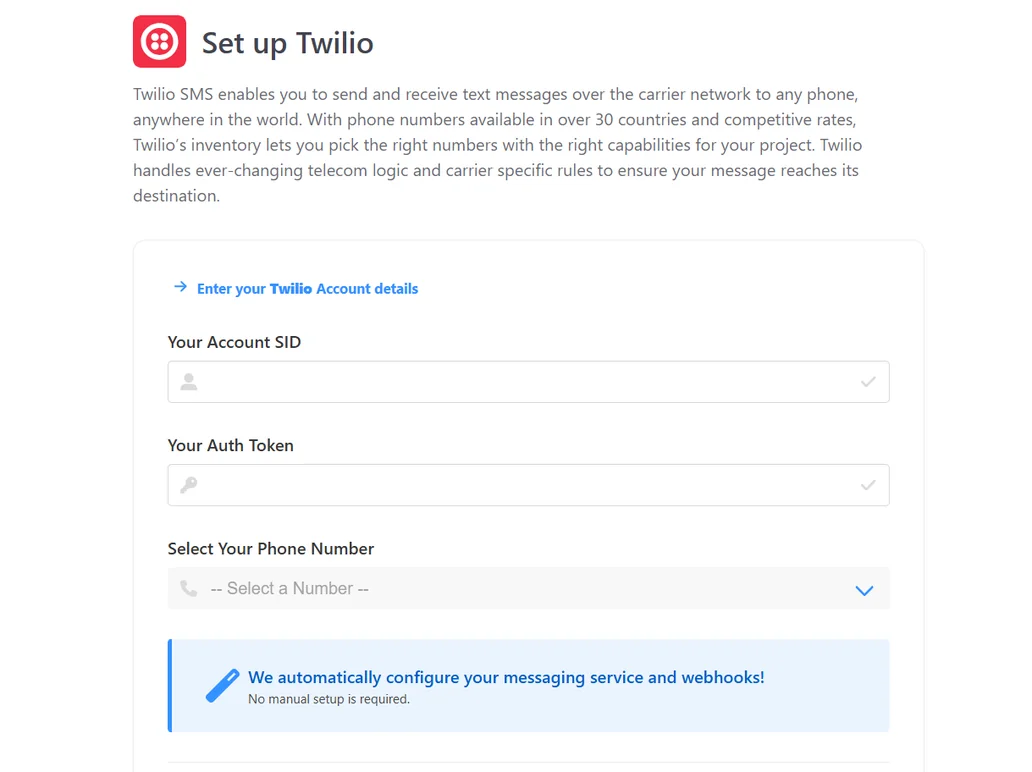
Enter your Twilio SID, Auth Token and SMS-capable number.
- 2
Texts show up in your Intercom inbox within seconds.
- 3
Agents reply from Intercom; customers see your Twilio number.
Octopods
why teams choose it
Why Octopods for Twilio SMS + Intercom
Contact syncing
Each text creates an Intercom user, matched by the sender's phone number.Existing Intercom workflows
Assignment rules, tags, saved replies and reports all work with SMS.Proactive messaging and MMS
Text any customer with a phone number first, and receive MMS images in Intercom.
- Capterra
Amazing for centralising your support channels.
Really positive experience, the support team are great and reply very quickly. Installation was easy and it's been well received for our team.
Read on CapterraAaron S.Operations Analyst · Computer Software
short answers
Frequently asked questions
Usually both, because they do different jobs. Twilio gives you the phone number and delivers the text messages. Intercom is where your team reads and answers conversations. Octopods connects the two: texts sent to your Twilio number arrive in the Intercom inbox, and replies from Intercom go back to the customer from the same Twilio number. Twilio bills its number and messaging charges, and Octopods bills per connected channel.
No. Octopods gives you a guided, no-code setup. You enter your Twilio Account SID and Auth Token, pick your number, and Octopods configures the messaging service and webhooks in Twilio for you.
Yes. You can connect SMS-capable Twilio long-code (local or mobile) and toll-free numbers, or an alphanumeric sender ID. Short codes aren't supported. In the US, texting from a local number needs A2P 10DLC brand and campaign registration, which you can create and register from the Octopods dashboard. Octopods uses the number you already own, so customers keep seeing the same sender.
No. Octopods processes messages and forwards them to Intercom, and doesn’t keep message content, including media and personal data. Your conversation history lives in Intercom, just like any other chat channel.
Yes. Once SMS messages appear in Intercom, they behave like any other channel. You can trigger workflows, routing rules, SLAs, and automations based on customer replies.
Usually within seconds. Texts are forwarded through Twilio, Octopods and Intercom in near real time. Retries, provider rate limits or a newly created conversation can occasionally delay a message by a few minutes.
Ready to integrate Twilio SMS with Intercom?
Sync every SMS conversation in minutes
Available on the Intercom App Store