Questions about Octopods?Schedule a call
instagram dms and comments
Intercom Instagram integration for DMs and comments
The Intercom Instagram integration brings Instagram DMs and post comments into your Intercom inbox.
- Meta Tech Provider
- 7-day free trial


Instagram → Intercom
sound familiar?
Instagram DMs and comments without Intercom
- Checking Instagram by hand for new DMs
- Key comments buried under likes, emojis and spam
- Agents switching between Instagram and Intercom
how it works
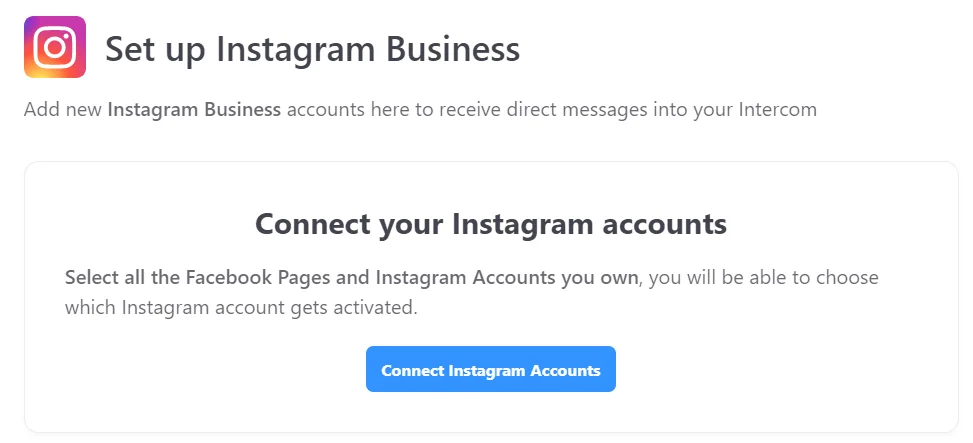
How to connect Instagram to Intercom
1. Install
why octopods
Why teams use Octopods for Instagram in Intercom
Native Intercom inbox
DMs and comments arrive as Intercom conversations you reply to in place.Intercom workflows
Assignments, tags and inbox rules work as for any Intercom conversation.Reliable message delivery
Built on official Instagram APIs by a Meta Tech Provider, with data encrypted at rest and in transit.
- Capterra
Great tool to make customer support via WhatsApp Scalable
a great tool to connect your WhatsApp and any social media support channel to your Intercom inbox
Read on CapterraLucas G.Performance Coach · Internet
watch the demo
Intercom Instagram integration demo
A short demo of managing Instagram DMs from the Intercom inbox with Octopods.
- In Octopods, add an Instagram channel
- Sign in with Facebook and pick your Instagram Business account
- Instagram DMs arrive in the Intercom inbox
- Reply from Intercom; the reply arrives on Instagram
step-by-step guides
Intercom Instagram setup guide
instagram guides
Guides for Instagram in Intercom
- How the Intercom Instagram integration worksWhat syncs, what Instagram allows and how teams set it up.
- How to manage Instagram DMs and comments in IntercomKeeping DMs and comments organized for your team.
- Instagram for customer support in IntercomRunning Instagram support conversations from the Intercom inbox.
- How sales teams use Instagram DMs in IntercomFollowing up with leads who message you on Instagram.
- How to automate assignment of Instagram DMs in IntercomRouting Instagram DMs to the right teammate automatically.
short answers
Intercom Instagram integration FAQs
Common questions about the Instagram Intercom integration
The Intercom Instagram integration from Octopods connects your Instagram Business account to Intercom, so Instagram direct messages and the post comments you choose arrive as conversations in your Intercom inbox. Your team replies from Intercom, next to Messenger, WhatsApp and your other channels.
Each Instagram account or Facebook Page you connect is one channel, with no separate Instagram rate; comments are available on request. On the self-serve plan, the first channel is $49/mo and each extra channel is $39/mo, billed monthly, so Instagram plus Facebook Messenger is $88/mo. Start with a 7-day free trial, no credit card required. See Octopods pricing.
An Instagram Business account (not personal or creator) linked to a Facebook Page, a Facebook user with admin access to that Page, and "Allow access to messages" turned on in Instagram's privacy settings. Facebook Messenger connects the same way through your Page; see the Intercom Facebook Messenger integration. Instagram, Messenger, WhatsApp and your other channels can all share one Intercom workspace.
Octopods connects Instagram through its own app, priced per channel, so it's an alternative way to bring Instagram DMs and comments into the Intercom inbox without changing your Intercom plan for Instagram. Try it on the 7-day free trial to check it fits your setup.
Add an Instagram channel in Octopods, sign in with Facebook as an admin of the linked Page, approve the permissions and pick your Instagram Business account. Send it a test DM, and it appears in your Intercom inbox.
Yes. Intercom can receive Instagram direct messages (DMs) through an Instagram integration. Once your account is connected, DMs arrive as Intercom conversations, and your team can reply to Instagram DMs from Intercom in near real time.
Ask us to turn on comments for your Instagram channel. Each top-level comment then opens its own conversation, and an AI filter picks which comments come through, such as questions or complaints. Your team replies from Intercom, and the reply is posted publicly as a comment reply on Instagram; you can't send the commenter a private message from the comment conversation.
Yes. Each Instagram Business account connects as its own channel, so your team answers all of them from the same Intercom inbox. To route each account to a team, use the contact attribute Octopods sets (octopods_instagram_page_name) in your assignment rules; it shows the account the person wrote to most recently.
Yes. Octopods links each person to the contact it created for them before, matched by their Instagram ID, and otherwise creates a lead with their name. Instagram messages carry no phone number or email to match on, and Meta gives a person different IDs for comments and for DMs, so the same person can appear as two contacts.
If your team only needs Instagram DMs and your Intercom plan includes it, Intercom's own Instagram channel covers that. Octopods is an Instagram DM app and connector for Intercom: choose it when you also want Instagram and Facebook comments in the Intercom inbox, or Instagram next to WhatsApp, Telegram and other channels.
Ready to connect Instagram to your Intercom inbox?
Sync DMs and comments in minutes
Available on the Intercom App Store