Questions about Octopods?Schedule a call

messenger chats and page comments

Intercom Facebook Messenger integration with Page comments

Get a Facebook Messenger inbox in Intercom where Messenger chats and Page comments arrive as conversations, and comment replies post publicly on Facebook.

  • Meta Tech Provider
  • 7-day free trial
Facebook
Intercom

Facebook → Intercom

the problem

Facebook messages and comments without Intercom

  • Messenger and page comments live in different places
  • Agents juggle tools, Pages and devices to reply
  • Important messages and comments get dropped

how it works

How to connect Facebook Messenger to Intercom

  1. 1

    Install Octopods from the Intercom App Store.

  2. 2

    Sign in with Facebook and choose your Page(s).

  3. 3

    Reply from the Intercom inbox.

Octopods
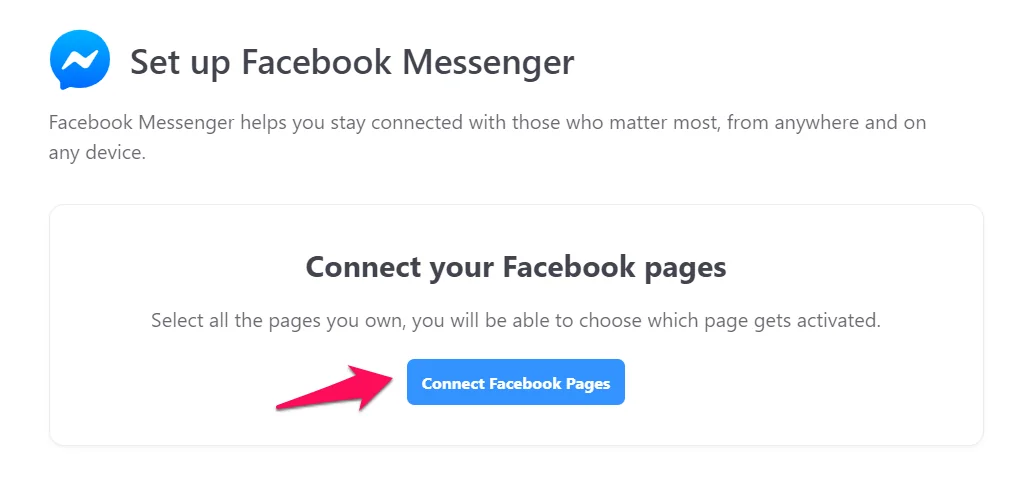
Setting up the Intercom Facebook Messenger integration by connecting Facebook Pages in Octopods
In Octopods, you connect the Facebook Pages whose Messenger chats should reach Intercom.

why teams choose it

Why teams use Octopods for Facebook in Intercom

  • Messenger and comments together

    Messenger chats and the Page comments you choose arrive as Intercom conversations.
  • Multiple Pages, one workspace

    Connect several Facebook Pages, each as its own channel.
  • Reliable and secure

    Built on official APIs by a Meta Tech Provider, with data encrypted at rest and in transit.

what customers say

What customers say about Octopods

Reviews from Capterra

  • Capterra

    Worth it just for their support team

    Hands down the best part about using this software was their support team. There were a few problems I run into in the setup process as well as later down the road. They hopped on a video call with me and had things up and running in no time. Feels like a group of people who truly want to help you succeed. 👏

    Shane V.
    Digital Marketing Strategist · Non-Profit Organization
    Read on Capterra

step-by-step guides

Intercom Facebook Messenger setup guide

short answers

Intercom Facebook Messenger integration FAQs

The Intercom Facebook Messenger integration from Octopods connects your Facebook Page to Intercom, so Messenger chats and, if you choose, Facebook Page comments arrive as conversations in your Intercom inbox. Your team replies from Intercom, and replies go back to Facebook.

Connect your Facebook Page, or your Instagram account, through Octopods and turn on comment syncing for that channel. You choose which kinds of comments open conversations, such as questions or complaints, so your team answers them in the Intercom inbox next to Messenger DMs. Comments are available on request. See also the Intercom Instagram integration.

Replies from the comment conversation are posted publicly as comment replies on Facebook or Instagram. You can't send the commenter a private message from the comment conversation.

Comment syncing only opens conversations for the kinds of comments you chose for that channel, so other comments stay on Facebook. Check the comment settings for the channel in Octopods, and that the Page is still connected.

Yes. Each Facebook channel in Octopods has separate settings for DMs and comments: switch DMs off and comments on, and Intercom's own integration keeps handling Messenger DMs. Switch Octopods' DMs off in this setup, or every DM arrives twice. An admin needs the Page permission to manage comments.

Yes. Octopods links each person to the contact it created for them before, matched by their Meta ID, and otherwise creates a lead with their name. Messenger messages carry no phone number or email to match on, and Meta gives a person different IDs for comments and for DMs, so the same person can appear as two contacts.

Add a Facebook channel in Octopods, sign in with a Facebook user who is an admin or editor of your Page, approve the permissions and pick the Page. Messages to the Page then arrive in your Intercom inbox; send a test message to check.

Yes, with a Messenger integration. Messages anyone sends your Facebook Page arrive in the Intercom inbox, with reactions, attachments, GIFs and stickers, and your team can reply to Facebook Messenger from Intercom.

If your team only needs Messenger DMs, Intercom's own Facebook channel covers them. Octopods is a Facebook Messenger app and connector for Intercom: choose it when you also want Facebook and Instagram comments in the Intercom inbox, or Messenger next to WhatsApp, Telegram and other channels.

Yes. Each Facebook Page connects as its own channel, so your team answers every Page from the same Intercom inbox. To route each Page to a team, use the Page name contact attribute Octopods sets (octopods_facebook_page_name) in your assignment rules; it shows the Page the person wrote to most recently.

You can reply within 24 hours of the customer's last message. Outside that window, Facebook blocks messages except its approved message tags, such as confirmed event updates or account updates. These rules are Facebook's, so they're the same on every platform.

Ready to integrate Facebook with Intercom?

Sync Messenger chats and comments in minutes

Available on the Intercom App Store